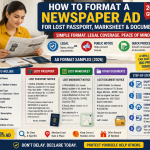
How to Book a Lost and Found Classified Advertisement in Newspaper Online Today
Most people call a booking agent. That's fine. But when you need the ad printed tomorrow morning and it's already 6 PM, an agent can't always save you. Online portals can. My shift to recommending portals first for time-sensitive cases happened on a frustrating Tuesday in 2023 — three agencies, no next-day slot at The Hindu Chennai edition. One portal, eleven minutes.
Step 1 — Choose the Right Portal or Agency Site
There are two types of portals to consider.
Newspaper's Own Portal
ads.thehindu.com for The Hindu. timesclassifieds.com for Times of India. htmedia.in for Hindustan Times. Slower to navigate, but more reliable — what you see in the preview is very close to what prints.
Third-Party Aggregators
Sites like ReleaseMyAd, Bookadsnow, and Ads2publish let you book across multiple papers from a single screen. Useful when placing the same ad in three papers at once. Trade-off: previews are less precise for regional editions, and customer support after hours can be inconsistent.
Step 2 — Select Newspaper, City Edition and the Right Category
This is where most first-time users get stuck — not on the text, but on category selection.
Pick the Correct Category
The correct section for a lost and found ad in a newspaper is either "Lost & Found" or "Public Notice." Do not select "Announcement" — it uses a different rate card and prints in a different section. Government offices look in Public Notice or Lost & Found. If your ad lands under Announcements, it exists in principle but not in the right place for verification.
Choose the Right City Edition
This matters more than people assume. If your passport was issued at the RPO in Chennai, place the ad in the Chennai edition. A Coimbatore edition is technically the same paper, but some RPO clerks have pushed back on it. Keep it geographically relevant. If your RPO instructions don't specify a city, use the main state metro edition.
Step 3 — Type the Ad Text and Check the Live Preview
Type directly into the portal's text box. Do not paste from WhatsApp — formatting characters sometimes transfer and corrupt the word count.
Live Preview Checklist
- Document number is accurate — read it twice, digit transpositions are the most common mistake
- Your name matches the document exactly — initial vs. expanded name issues matter
- Address includes the PIN code
- Declaration line is complete and not truncated
Step 4 — Upload FIR or Affidavit (If the Portal Requires It)
Most portals don't ask for this. Understanding the split helps avoid confusion.
What the Newspaper Needs
In the case of a lost passport advert in the newspaper, the portal itself almost never requires uploading an FIR. Your text, and money are all the newspaper requires. The Passport Seva Kendra will require the FIR or GD copy - on its own, when you are requesting reissue. Those are two different processes and a lot of people confuse them.
What the Passport Seva Kendra Needs
In case your document is very big, compress it using ilovepdf.com or SmallPDF and then upload. Portals that time out on huge uploads usually do not inform you explicitly, the page simply hangs. One of the points to pay attention to: some aggregator portals store uploaded documents. Look at the privacy policy of the platform before uploading a scan of an ID or a police document. You do not need to provide your FIR to the newspaper itself. When a portal claims to be required and will not accept a booking without it - simply use the portal of the paper itself.
When Upload Is Required by an Aggregator
Having said that, there are aggregator portals with document upload fields of supporting documents. In case it is optional, do not do it. When it is mandatory, attach a legible scan of your GD entry or FIR. Limits on file size are also different: releaseMyAd supports up to 2MB per post. Bookadsnow supports a 5MB capacity on the majority of document types.
Step 5 — Make Payment and Get Confirmation
Credit/debit card, UPI, and net banking are accepted on most portals. Some local paper portals — particularly in Kerala — accept only net banking and cards, no UPI. Check before reaching the payment page, especially late at night.
After Payment, You Should Receive
- An on-screen confirmation with a booking reference number — immediately
- A confirmation email within 10–20 minutes
Step 6 — Download Your PDF or E-Paper Proof
This is what the reissue application actually needs. Get this step right.
When the PDF Becomes Available
Most portals release the published ad PDF within 24–48 hours of the publication date — not the booking date. If you book today for tomorrow's paper, expect the PDF proof by tomorrow afternoon.
Where to Find It
Log in to the portal → My Bookings → select your booking → Download Proof or Download Ad Copy.
What Different Portals Provide
The Hindu portal produces a clean PDF with date, edition, and ad text clearly visible. Times of India portal offers a similar download. Aggregator sites vary — some provide a PDF, others a screenshot, others a strip of the e-paper page.
10 Frequently Asked Questions
Select "Lost & Found" or "Public Notice." These are the two categories where government offices look when verifying your notice. If neither appears, check under Obituaries and Notices — some portals group them together. Do not use "Announcement" or "Personal" for a document loss notice. The section in which the ad prints directly affects the verification process.
Most newspaper portals do not require it. The FIR is needed by the Passport Seva Kendra, not the newspaper. If an aggregator portal has an optional document upload field, attach a compressed scan under 2MB — both PNG and PDF formats work. If the field is mandatory and your FIR is multi-page, merge the pages into one file first using ilovepdf.com. Always check the platform's data policy before uploading police documents to a third-party portal.
Cut-off times vary by paper. The Hindu Chennai edition: typically 5:30 PM. Times of India metro editions: around 4 PM. Malayala Manorama Kozhikode: around 3 PM. Calling the office sometimes buys an extra hour, but don't count on it. Check the booking deadline shown on the portal's scheduling screen once you've selected the publication date — it displays there.
All major portals show a preview screen before the payment page. On ReleaseMyAd and the Hindu portal, it is a dedicated step — you cannot proceed to payment without confirming the preview. On smaller portals, the preview appears as a thumbnail on the payment page itself. Zoom in. For a lost marksheet ad, specifically verify the roll number and year of passing. If the preview font is too small to read clearly, manually count the characters in a Word document before submitting.
On aggregator sites, no. releaseMyAd and Bookadsnow also allow you to order several issues of the same paper. The rate is compounded in each edition. In the case of a lost document advertisement in the newspaper, then you do not need many cities, but the city in which the document was issued or where you are staying today. Multiple edition bookings are only mostly applicable to property or name change notices and not to loss of documents.
After payment, the portal sends an order confirmation email. The invoice is typically a separate attachment in the same email, or accessible via My Bookings → Download Invoice. If you need a GST-compliant invoice for reimbursement, confirm that the portal accepts GSTIN entry at the time of booking — The Hindu's portal supports it; some minor aggregators issue only a basic receipt. For GST input credit purposes, book directly through the newspaper's portal.
Most portals accept UPI, credit card, debit card, and net banking. Some local portals — particularly in Kerala — accept only net banking and cards. ReleaseMyAd and The Hindu portal both accept UPI. On mobile, UPI is fastest. On desktop, net banking occasionally has redirect issues on older browsers — use Chrome or Edge. If a payment fails, check your bank account before retrying. Some portals complete the debit even when the confirmation screen shows an error.
Log in to the portal and check My Bookings. Status labels vary: Confirmed, Scheduled, Published, Completed. Once it shows Published, the PDF proof should be available for download within a few hours. If status stays on Pending for more than 12 hours after payment, call the portal helpline with your booking reference. Don't assume it will resolve itself. A client I assisted was stuck on Pending for two days due to a payment gateway mismatch — the ad never ran. They found out only when they called.
Usually no. Most portals lock the ad text once payment is made. Some permit text edits until the booking cut-off for that edition — check the portal's edit policy immediately after payment, before that window closes. If you spot a mistake after the cut-off, call the helpline, request a cancellation, and rebook. Refunds or credits depend on the platform. The Hindu's portal is stricter on this. Aggregator platforms tend to be more flexible, but nothing is guaranteed.
After the publication date, log in to the portal → My Bookings → select the completed booking → look for Download Proof, Ad Copy, or E-paper Clipping. The PDF must clearly show the newspaper name, edition, and publication date. If the portal only provides a screenshot, print it and self-attest. For RPO submissions, a dated PDF is strongly preferred. Save the file immediately — some portals limit download access to 30–60 days after publication.